 Prospira Tweaks
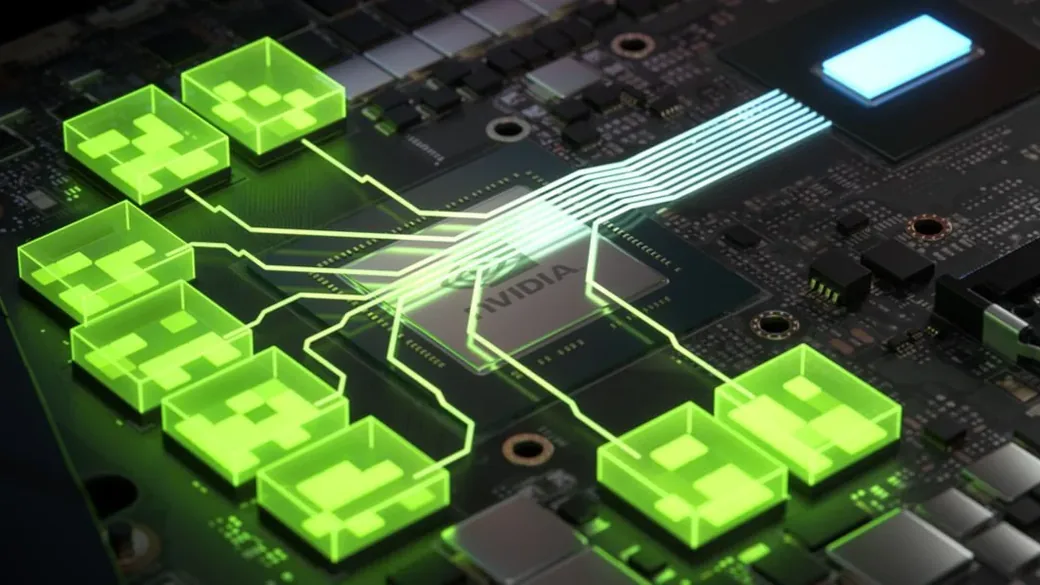
The pitch for Resizable BAR is that it is free performance and there is no reason not to turn it on. Two things are wrong with that.
The first is that it is not always a gain. In a 2026 test run, four games were slower with it enabled, and one title has been measured losing performance by three independent outlets - in a version of the test where the graphics vendor’s own material advertised a nine per cent gain.
The second is that on an NVIDIA card, turning it on in your BIOS does not mean your game is using it. That is not a bug. It is the documented design, and the control panel will still tell you the feature is enabled.
What Resizable BAR actually is
A 2008 fix for address allocation, later reused as a performance feature.
Your graphics card has, say, 12 GB of memory. Your processor cannot see all of it. It looks at the card through a window, and Microsoft’s driver documentation says how big that window is and why:
For compatibility with 32-bit operating systems, discrete GPUs usually claim a 256 MB I/O region for their frame buffers.
256 MB, into a 12 GB card. Everything the processor writes has to be pushed through that opening, a slice at a time, with the driver moving the window along and keeping track. Resizable BAR makes the window the size of the memory behind it.
It is not an AMD invention, and it is older than you think. It is a PCI-SIG standard amendment dated 2008, written against PCI Express 2.0, and sponsored by Hewlett-Packard and AMD. AMD can claim co-authorship of the standard, twelve years before Smart Access Memory was announced - not of a new technology.
The 2008 document was not about frame rates at all. It was written to solve an address-allocation problem: fitting every device into a machine where the total requested resources exceed the address space. Using it for graphics performance is a later repurposing.
- 2008A PCI-SIG amendment for PCI Express 2.0, sponsored by HP and AMD
- 2020AMD announces Smart Access Memory, twelve years later
- March 2021NVIDIA starts with game profiles for 17 titles
- August 2026NVIDIA announces Auto, Enabled and Disabled controls. Not shipped yet.
Worth being precise about what it does not do, because most descriptions overreach. It does not add bandwidth to the PCIe link, it does not add memory to the card, and it does not change how the card reads its own memory. It changes how the processor writes into that memory. The saving is overhead and driver bookkeeping. That is why the result is usually a small number.
Why the option is not in your BIOS
It is usually there, behind another setting you have not switched on yet.
This is the single most common real problem, and it looks exactly like "my motherboard does not support this". It normally is not. Intel documents the behaviour in its Arc quick start guide:
For some systems, you may need to first enable ‘Above 4G decoding’, save the configuration, and restart before the Resizable BAR option is shown.
Note that it is not enough to tick it - you have to save and reboot, and only then does the other option appear.
- Turn on Above 4G DecodingIt lets the firmware place device windows above 4 GB.
- Save and rebootTicking it is not enough.
- Find Resizable BAROnly now does the option appear.
The reason is arithmetic. A window covering a whole 12 or 16 GB frame buffer cannot be placed below the 4 GB line, because there is not that much room down there and what room exists is already crowded. Above 4G Decoding is the setting that lets the firmware put device windows above 4 GB. Without it there is nowhere to put the resized window, so the option is either hidden or does nothing.
The second thing people miss is that this can be two firmware updates, not one. The motherboard needs firmware that supports it, and on NVIDIA cards so does the graphics card. Of the RTX 30 desktop cards, only the RTX 3060 shipped ready - the 3060 Ti, 3070, 3080 and 3090 may need a VBIOS update from whoever made the card. NVIDIA gives the order too: motherboard firmware first, card firmware last.
Is it free performance?
No. It is usually a small gain, and in some games it is a measurable loss.
"There is no reason not to enable it" is the standard line. It is contradicted by the measurements, sometimes in the same article that prints it.
A 2026 test on a Radeon RX 7900 XT at 1440p found gains of +17.5% in Atomic Heart and +16.6% in Assassin’s Creed Valhalla - and, in the same run, losses: Batman: Arkham City −4.1%, Destiny 2 −3.3%, World of Tanks −2.4%, Company of Heroes 2 −1.6%. The article concluded there was no reason not to enable it, above a table containing four titles where it cost performance.
The losses are not noise, and one of them was reproduced by three independent outlets. On Watch Dogs: Legion with an RTX 3080, TechSpot measured −10% at 1080p and −16% on the 1% lows; ComputerBase measured a 37% drop in percentile frame rate at 4K and called the result unplayable; TechPowerUp found frame rates pinned near 80 FPS regardless of hardware. NVIDIA’s own launch material advertised +9% in that title on that class of machine. The contradiction was never publicly explained.
There is a pattern in the loss column worth knowing, because it lets you predict rather than guess: the titles that regress are older engines - Arkham City is from 2011, Company of Heroes 2 from 2013. The titles that gain are modern engines streaming large amounts of data per frame. Resizable BAR helps engines that push a lot of processor-written data into video memory, and slightly hurts engines whose driver path was built around the small window.
Across a broad suite the average is low single digits. Resolution is not a reliable predictor either - two careful test suites on the same card disagreed about whether the gain rises or falls with resolution, and one title reversed its sign, losing 9% at 1080p and gaining 9% at 4K. The title matters; the resolution mostly does not.
On an NVIDIA card, "enabled" does not mean what you think
The BIOS switch turns it on for the system. The driver decides it per game.
This is the part almost nothing explains, and it is the reason people turn it on, see no difference, and assume the feature is a myth.
NVIDIA does not simply use Resizable BAR wherever it is available. It ships a list of game profiles, and stated the policy plainly at launch: it would enable the feature "only when it has a positive performance impact". The list started at 17 titles in March 2021 and is larger now - nobody publishes a current number, so treat anyone who gives you one with suspicion.
So there are two different states, and the control panel only tells you about the first. "Resizable BAR: Yes" means your system is capable and the window has been resized. It does not mean the game you are about to start will use it. A title with no profile runs against the old 256 MB window on hardware that reports the feature as enabled.
- Your system is capable
- The window has been resized
- NVIDIA enables it per game
- A game without one keeps the 256 MB window
And the promise did not hold. The regressions in Watch Dogs: Legion and Death Stranding above were measured in titles that were on the list, and further regressions were measured in titles that were not on the list and should therefore have had the feature switched off.
AMD took the other approach and enabled it broadly rather than per title. That is why AMD’s suite averages come out higher and why AMD’s results also contain more of the losses. One vendor takes the whole distribution; the other takes only the wins it has verified, and forfeits everything it has not tested.
NVIDIA said at Gamescom in August 2026 that its app would gain Auto, Enabled and Disabled controls for this. As we write, the release notes do not mention it. It is announced, not shipped.
The one case where it is close to mandatory
On an Intel Arc card it is worth about a fifth of the card’s performance.
Everything above describes a few percent either way. Intel Arc is a different category of thing. Testing an Arc A770 across 25 games found it delivering roughly 77% of its performance at 1080p with the feature off - a loss near a quarter, with stutter that made some titles unpleasant to play.
Intel’s own wording is careful and worth repeating exactly, because both exaggerations are common. For the A-series, Intel says the card "provides best performance with a resizable BAR but it’s not a requirement to run the GPU". So "Arc will not work without it" is wrong.
But the newer B-series did not relax anything. Intel’s wording there is stronger, not weaker: it "must be enabled for optimal performance in all applications", and Resizable BAR support is written into the published minimum platform requirements for the card.
If you own an Arc card, this is not a tuning option. It is part of the configuration the card was designed around.
Do you actually qualify?
Four things have to line up, and one of them is not what people say it is.
UEFI boot with CSM off. This is the hard requirement and every vendor states it. AMD is the most explicit about why, saying that compatibility mode disables advanced motherboard features and that modern hardware "may lose access to important and necessary features of your motherboard, such as AMD Smart Access Memory technology".
GPT partitioning - but only as a consequence. Nothing in the PCIe standard cares about your partition table. The chain is: the feature needs CSM off, CSM off means the machine boots UEFI-only, and Windows boots UEFI from a GPT disk. So an MBR Windows install has to be converted or it will not start. On Linux, or on a machine already booting UEFI, there is nothing to change.
A supported graphics card. NVIDIA: RTX 30 series and newer. Turing and Pascal never got official support, and NVIDIA’s own update tool refuses them outright. There is a community route for Turing that involves flashing a modified motherboard firmware - see the risks section, and please read it before you consider that.
A supported processor - and here the internet is out of date. The widely repeated requirement is a Ryzen 5000. AMD’s current published requirement is not:
Smart Access Memory technology enablement requires an AMD Radeon 6000 series GPU, Ryzen 5000 or 3000 series CPU (excluding the Ryzen 5 3400G and Ryzen 3 3200G) and a 500 series motherboard with the latest BIOS update.
Two details in that sentence get mangled everywhere. The exclusion is exactly two processors, not "the APUs" - the 3400G and 3200G are older silicon sold under 3000-series numbering, while the Ryzen 3 3100 and 3300X are ordinary Zen 2 parts and are not excluded. And that is AMD’s requirement for its own feature; motherboard makers shipped firmware enabling Resizable BAR on 400-series boards, and NVIDIA’s own support list includes them. Being outside AMD’s published requirement is not the same as it not working.
 NVIDIARTX 30 series and newer. Not Turing or Pascal.
 AMDRadeon 6000, Ryzen 5000 or 3000 except the 3400G and 3200G, a 500-series board.
 Intel ArcA-series: best with it. B-series: must be enabled.
One more thing that is not a requirement, despite being widely believed: you do not need a matched pair of AMD parts. Resizable BAR, Smart Access Memory and Clever Access Memory are three brand names for the same PCI-SIG capability. Intel’s support page says so in as many words - "The Resizable BAR option may be described as Re-Size BAR, Smart Access Memory, or Clever Access Memory" - which is also the answer if you are hunting a BIOS menu for a phrase that is not there.
- Resizable BAR
- Re-Size BAR
- Smart Access Memory
- Clever Access Memory
What can go wrong
A machine that will not boot - and the fix is not the one people reach for.
Enabling this in an unmodified BIOS cannot damage anything. It is an address-map setting. Nothing is overclocked, nothing is overvolted, nothing is written permanently to the graphics card, and clearing the CMOS returns everything to how it was.
What does happen is a black screen at boot, and NVIDIA’s own support documentation names the two usual causes: Compatibility Support Module still enabled, and a boot drive that is not GPT and UEFI. We found a Polish forum thread showing exactly that ending - the machine stopped booting with a winload.efi error and code 0xc000000e, and the boot disk had ended up as MBR. Nobody in the thread worked out how. Nothing was damaged; the bootloader was gone.
Which is why the order matters and why we would do it in this sequence: convert the disk to GPT first, confirm the machine still boots, then disable CSM, confirm again, and only then touch Above 4G Decoding and Resizable BAR. Each step separately, each verified, so that when something breaks you know which change did it.
- Convert the disk to GPTThen confirm the machine still boots.
- Disable CSMThen confirm again.
- Turn on Above 4G DecodingSave and reboot.
- Turn on Resizable BAROne step at a time, so a failure names its cause.
The modding route is a genuinely different risk and must not be confused with the above. Getting the feature onto unsupported NVIDIA cards means flashing modified motherboard firmware, and the people who publish that work say plainly that it carries a real risk of damaging the board. Enabling a BIOS setting and reflashing your motherboard with third-party firmware are not the same activity and do not deserve the same sentence.
One last thing, from AMD’s own driver release notes: "AMD Smart Access Memory may become disabled after driver installation on Windows 10 systems." You can turn this on and have it quietly turned off later by a driver update, with no notification. "I enabled it once" is not a durable state.
How to check whether it is on
And why the usual instruction may no longer work.
On an Intel system, Intel points at its own Driver and Support Assistant, which will also warn you when the feature is off on an Arc card.
On NVIDIA the standard instruction is the NVIDIA Control Panel, under System Information, where a Resizable BAR row reads Yes. Check this against your own machine before trusting any guide, including ours - the classic control panel has been reported as removed in recent drivers, and every article still telling you to open it was written before that.
On AMD it appears as a Smart Access Memory toggle in the driver software.
And remember the distinction from earlier: on an NVIDIA card all of these tell you the system state. None of them tells you whether the game you are about to launch has a profile that uses it.
 IntelDriver and Support Assistant. It warns when the feature is off on Arc.NVIDIAControl Panel, System Information. May be gone in recent drivers.AMDThe Smart Access Memory toggle in the driver software.
How we approach it
It is a free setting. What it is worth is knowing whether it applies to you.
Nobody should pay anyone to toggle a BIOS setting, and we are not going to pretend otherwise. What takes the time is everything around it: whether your board has firmware for it, whether your card needs its own firmware update, whether your disk has to be converted first, and whether the games you actually play are ones that gain or ones that lose.
We check it because it is commonly off and free to fix, in the same pass as the memory profile - not because it is a headline number. On most machines it is worth a few percent. On an Arc card it is worth a fifth of the card.
And we do not flash modified firmware to get it onto a card that does not support it. That is the one path here that can actually destroy hardware, and the gain is a few percent. If you have a Turing card and you want this, the honest answer is that it is not worth the risk we would be taking with your machine.